Properties and Events
Page properties define how a page behaves, appears, and interacts with the application lifecycle. These settings control performance, data handling, and page-level configuration.
- Cache
- Refresh Data on Attach
- Page Title
- Page Params
Cache
By default, when a user navigates away from a page, the page instance is destroyed to free up memory and resources. When Cache is enabled, the page instance is preserved in memory instead of being deleted. This allows the application to restore the page when the user navigates back, including UI state, variable values, and scroll position.
Refresh Data on Attach
When Refresh data on attach is true and a cached page instance is shown again, all startup variables configured to load data on page startup run again. If the page includes partials and prefabs, their startup variables are invoked as well. By default, this flag is true.
You can use On Attach to refresh specific data instead by invoking the variables you choose.
Page Title
Page title is the display name associated with the page in runtime. Depending on layout, it may be shown in UI such as Mobile Navbar (title). It does not update the browser document title in the same way as a WaveMaker web app.
Page Params
Pass data from one page to another within the app using Page Params. This applies to pages and partial pages.
How parameters work
Navigation passes parameters through the route as key-value pairs alongside the destination page name.
A typical resolved route fragment looks like this:
#/Pagename
After Page Params (for example userId and existingUser) are defined and navigation supplies values:
#/UserDetails?userId=1&existingUser=true
Multiple parameters are supported. Values are carried on the navigation action and surfaced on the receiving page scope for bindings and scripts.
During web preview inside Studio, URLs may resemble a hosted web app; on device, parameters still map to navigation route params (route.params), not HTTP query strings sent to a server.
Steps to adding Page Params
There are two aspects to adding Page Params.
- Parameterized page: The page that needs input defines page-level parameters to hold incoming values so you can use them when loading data or driving the UI.
- Calling page: The page navigating to the parameterized page (for example Main) invokes a Navigation Action and binds argument values—for example
id—from that page's widgets or variables via the Actions Data tab.
Example
UserDetails needs an id to load data and is invoked from Main with that value.
Parameterised page
From the Page Properties panel, add parameter fields on the parameterized page by giving each a Name and Type.
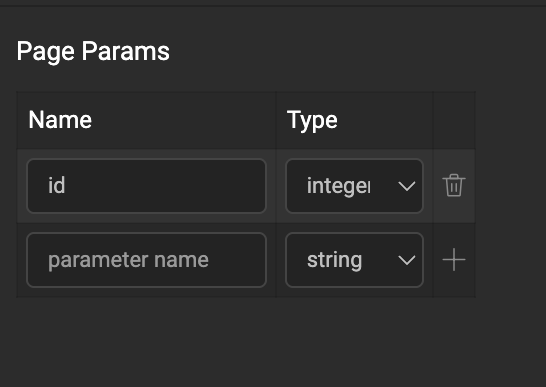
Parameters are available in page or partial scope. Use them from the Page Param tab in the binding dialog.
Calling page
Use the Application-scoped Navigation Action that WaveMaker generates by default for UserDetails when authoring Main (for example goToPage_UserDetails). Open the Actions panel on Main, select that navigation action, and on the Data tab bind id (or whichever page parameter you declared) using widgets or variables on Main. You can also define another Navigation Action for a different navigation flow.
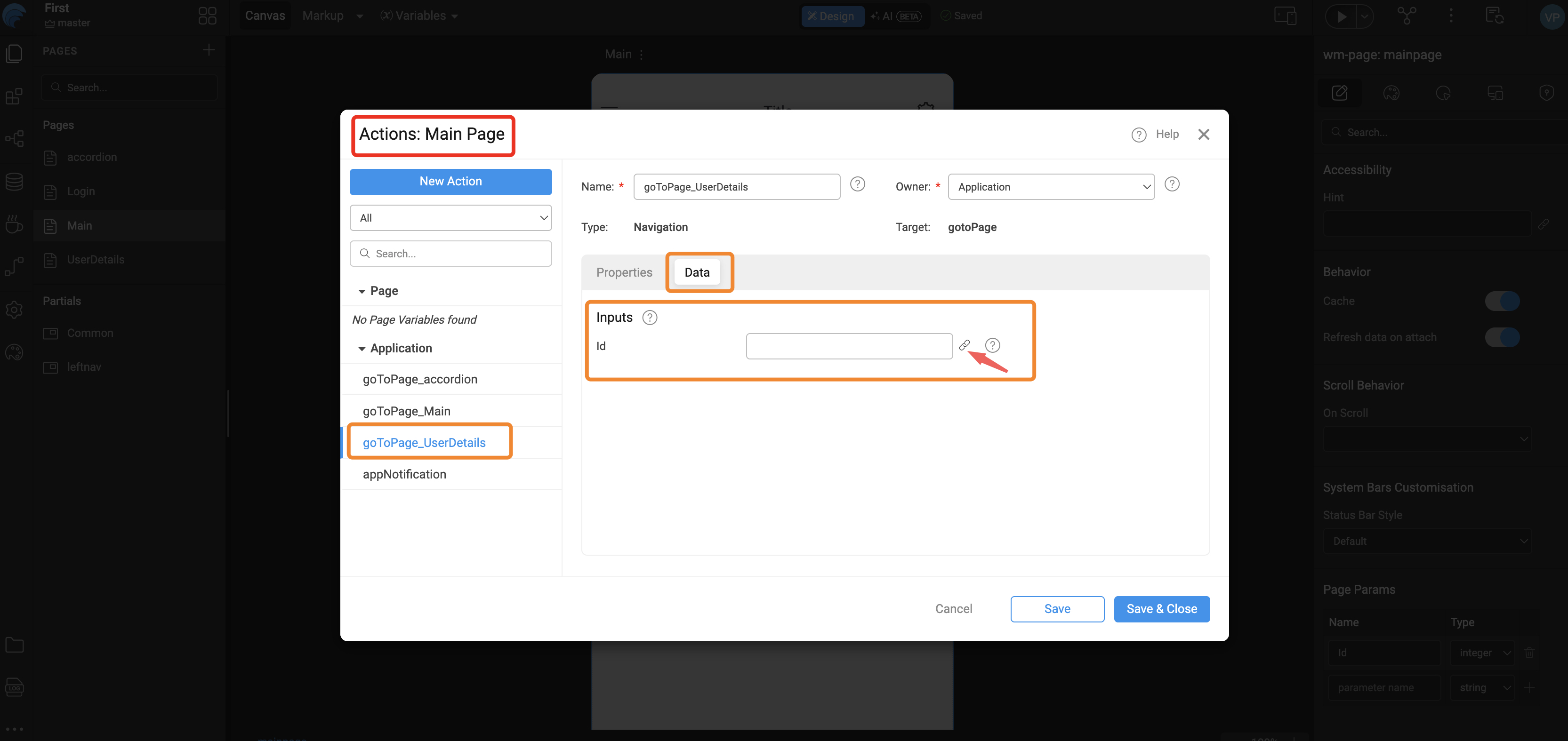
High-Level Flow
Events
WaveMaker exposes page-level lifecycle and viewport events (onReady, onAttach, onDetach, onDestroy, onOrientationchange, onResize) in the React Native runtime so you can run custom logic at the right time. Cache and Refresh data on attach above affect when on Attach and on Detach fire.
For when each event runs, full sample handlers (including onDetach cleanup and orientation or resize data), and scripting patterns, see Application and page events.